Booking options
£25
£25
On-Demand course
54 minutes
All levels
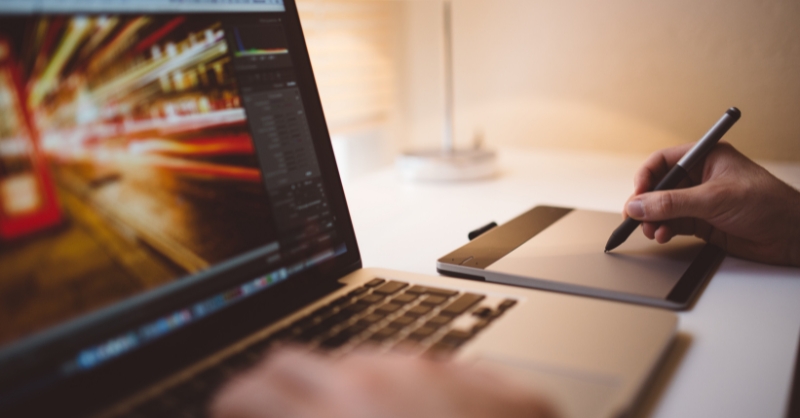
The Advanced Photoshop Masterclass is the perfect course for anyone who wants to take their Photoshop skills to the next level. Whether a beginner or a seasoned pro, you'll learn new techniques and tricks to help you create professional-grade graphic designs. In this course, you'll discover the art of crafting eye-catching designs that captivate the viewer's imagination. From making PSD thumbnails visible on your PC to changing backgrounds and fonts with finesse, you'll acquire essential skills that will set you apart in the design world.
Delve deeper into the magic of Photoshop actions as you explore various sources and select the most appropriate actions for your projects. Unravel the mysteries of transforming controls and learn to produce exceptional Photoshop actions like a true virtuoso.
Get ready to be amazed as you venture into the realm of 3D image creation. Our expert instructors will guide you through the process of crafting multiple 3D image shots that will leave your audience spellbound. Learn to optimize your designs by sizing them for different file formats and master the art of saving your work in the most efficient way.
With a hands-on approach and real-world applications, you'll gain confidence in your design prowess as you complete live applications and engage in practical projects. As you reach the conclusion of this Photoshop Masterclass course, you'll be equipped with the knowledge and expertise to take your graphic design skills to soaring heights.
Master the art of graphic design using Photoshop.
Create captivating designs and manipulate backgrounds and fonts.
Harness the power of Photoshop actions for efficiency and productivity.
Craft mesmerizing 3D image shots that leave a lasting impact.
Optimize file sizes and save designs for various formats.
Unleash your creativity and design like a pro.
Acquire essential Photoshop skills for career growth.
Master the art of crafting eye-catching 3D images.
Stand out in the competitive world of graphic design.
Graphic Designer
Visual Artist
Digital Illustrator
Branding Specialist
UI/UX Designer
Basic familiarity with Photoshop software.
Access to a computer with Photoshop installed.
Eagerness to learn and explore the world of graphic design.
Section : 01 | |||
▶ | Overview | 🕐 00:01:00 | |
▶ | Having Graphic Designs Created | 🕐 00:02:00 | |
▶ | Making PSD Thumbnails Visible on Your PC | 🕐 00:03:00 | |
Section : 02 | |||
▶ | Creating A Simple Design - Part 1 | 🕐 00:05:00 | |
▶ | Creating A Simple Design - Part 2 | 🕐 00:04:00 | |
▶ | Changing the Background | 🕐 00:03:00 | |
▶ | Changing the Font or Text | 🕐 00:02:00 | |
Section : 03 | |||
▶ | Working with Photoshop Actions | 🕐 00:02:00 | |
▶ | Sources for Photoshop Actions | 🕐 00:01:00 | |
▶ | Selecting Photoshop Actions | 🕐 00:02:00 | |
▶ | Producing Photoshop Actions - Part 1 | 🕐 00:05:00 | |
▶ | Show Transform Controls | 🕐 00:02:00 | |
▶ | Producing Photoshop Actions - Part 2 | 🕐 00:07:00 | |
Section : 04 | |||
▶ | Creating a Multiple 3D Image Shot | 🕐 00:03:00 | |
▶ | Sizing of File Formats | 🕐 00:01:00 | |
▶ | Saving For Certain File Formats | 🕐 00:02:00 | |
Section : 05 | |||
▶ | Live Application - Part 1 | 🕐 00:03:00 | |
▶ | Live Application - Part 2 | 🕐 00:02:00 | |
▶ | Multiple Shot Live Application | 🕐 00:03:00 | |
▶ | Conclusion | 🕐 00:01:00 |